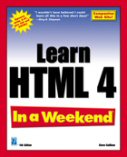
Learn HTML 4 In a Weekend, 4th Edition
by Steve Callihan
HTML, or HyperText Markup Language, is the key for being able to create and design your own Web pages. HTML is not just for techies. HTML is for everyone! HTML was conceived from the beginning as something the average user can easily learn and use.
Readers have completed the whole book in a weekend, but it's not necessary to complete all of the book's sessions to start creating and designing your own Web pages. After just two sessions, you'll be creating Web pages you can post to the Internet.
Order Learn HTML 4 In a Weekend from Amazon.com.
Reader Comments from This and Previous Editions
"After just 3 days, I managed to create an interactive frame-based professional-looking website which has already generated customers for my business.... What more do you need to know?" -- from a customer review of at Amazon.co.uk.
"I completed this book in a weekend just like the title says, and found it to have a very personal yet concise style of writing that put me at ease with the subject. The author alerts you to many pitfalls and has excellent tips along the way. If a sentence brought up a question in my mind, sure enough, it was answered in the next sentence or two." -- from a customer review at Amazon.com.
"What can I say? BRILLIANT! You simply MUST buy this book, it really does teach you HTML. I picked it up on a Thursday, and had my first webpage on the internet by that Saturday, complete with scrolling bars, forms, graphics, animations, sound...the list goes on! It is one of the best buys that I have ever made." -- from a customer review of Learn HTML In a Weekend, 3rd Edition at Amazon.com.
Download the Example Files
The example files for the book are available in Windows, Macintosh, and Unix/Linux formats:
You can also go to Premier Press' download page to download this book's example files.
Return to menu.
Need Help Downloading?
Windows Zip File -- If your security settings don't allow downloading *.exe files, you can download the examples files as a zip file (*.zip). After clicking the link, if your browser provides you with the option to open or save the file, click Open to open the file in WinZip or or other file compression software. In WinZip, click the Extract button, type c:\My Documents\MyHTML in the "Extract to" box, and click the Extract button. Exit WinZip.
You can also right-click on the link and select to directly save the zip file to a location on your hard drive. Just use the Run command to open the file in WinZip or other file compression software, and then extract the contents to c:\My Documents\MyHTML.
To download and install WinZip, just go to http://www.winzip.com/.
Macintosh Zip File -- The example files are provided in a *.zip format file. If you don't have file compression software that handles zip files, I recommend you download and install Stuffit Expander. When prompted by Stuffit Expander, just extract the contents to your Desktop -- a MyHTML folder will automatically be created for you. Save any example files you create in that folder.
Unix/Linux Zip File -- The example files are provided in a *.zip format file. If you don't have file compression software that handles zip files, you can find it at Tucows. Just download file compression software compatible with your Linux or Unix system. Open the zip file in your file compression software and extract the contents to your C drive (or wherever else you want to put it) -- a MyHTML folder will automatically be created for you. Save any example files you create in that folder.
Return to menu.
Additional Downloads
Following are additional resources you can download. They are not used in the book, but might help enhance your Web design efforts.
- HTML Templates. Download this ZIP file and use WinZip or other unzipping utility to unzip these files to a folder on your hard drive (C:\Html\template, for instance). Included are templates for creating an online calendar/schedule, gallery of your favorite photos or pictures, genealogy web site, newsletter, and resume. Also included are two templates for creating multiframe web sites, as well as a collection of generic templates that feature different looks and feels.
- Backgrounds. A selection of background images you can use to enhance your web pages.
- Icons. A selection of bullets, buttons, and other icons you can use to enhance your web pages.
- Graphic Rules A selection of graphic rules you can use to enhance your web pages.
Return to menu.
Additional Web Design Resources
For links to many additional Web design resources and tools, visit:
Return to menu.

Learn HTML 4 In a Weekend, 4th Ed.
by Steve Callihan
Create Your First Web Page In a Weekend, 3rd Ed.
by Steve Callihan
To Revolve Artworks
Refresh This Page (Ctrl-F5)
Cascading Style Sheets (CSS) By Example
by Steve Callihan
HTML Essentials
by Steve Callihan
HTML: CSS / JavaScript / DHTML
by Steve Callihan
Recommended Resources
To Revolve Items
Refresh This Page (Ctrl-F5)


